
Many companies have quickly adopted working from home. With the widespread adoption of remote work, it has never been more important for IT administrators to ensure that all devices in their company are secure, even if they do not belong to the company.
Google was the first to implement zero-trust security as part of its BeyondCorp strategy. And this allows for advanced security for Google Workspace users to ensure secure access to all devices. Administrators can apply these controls to Google Workspace applications and to third-party enterprise applications and data, ensuring consistent security and user experience across your organization.
Secure mobile and desktop devices with endpoint management

BYOD devices can vary significantly from one company to another, with a range of operating system versions, hardware modes, patch versions, etc. With Google's device management, IT administrators can easily support this variety of devices by applying measures such as minimum software versions and blocking jailbroken or rooted devices, in many cases without requiring full device rights to preserve employee privacy.
Regarding mobile device management, Google Workspace offers basic and advanced mobile device management:
- With basic mobile device management, BYOD devices are secured with basic security features, without the end-user having to worry about anything. Administrators can enforce a passcode, get a device inventory, remotely wipe Google accounts, and even remotely install apps on Android devices.
- With advanced mobile device management, administrators can apply more controls over BYOD devices, and Android users can keep their personal data private and separate from their work data with Android work profiles. You can also allow and manage work apps on iOS and Android devices.
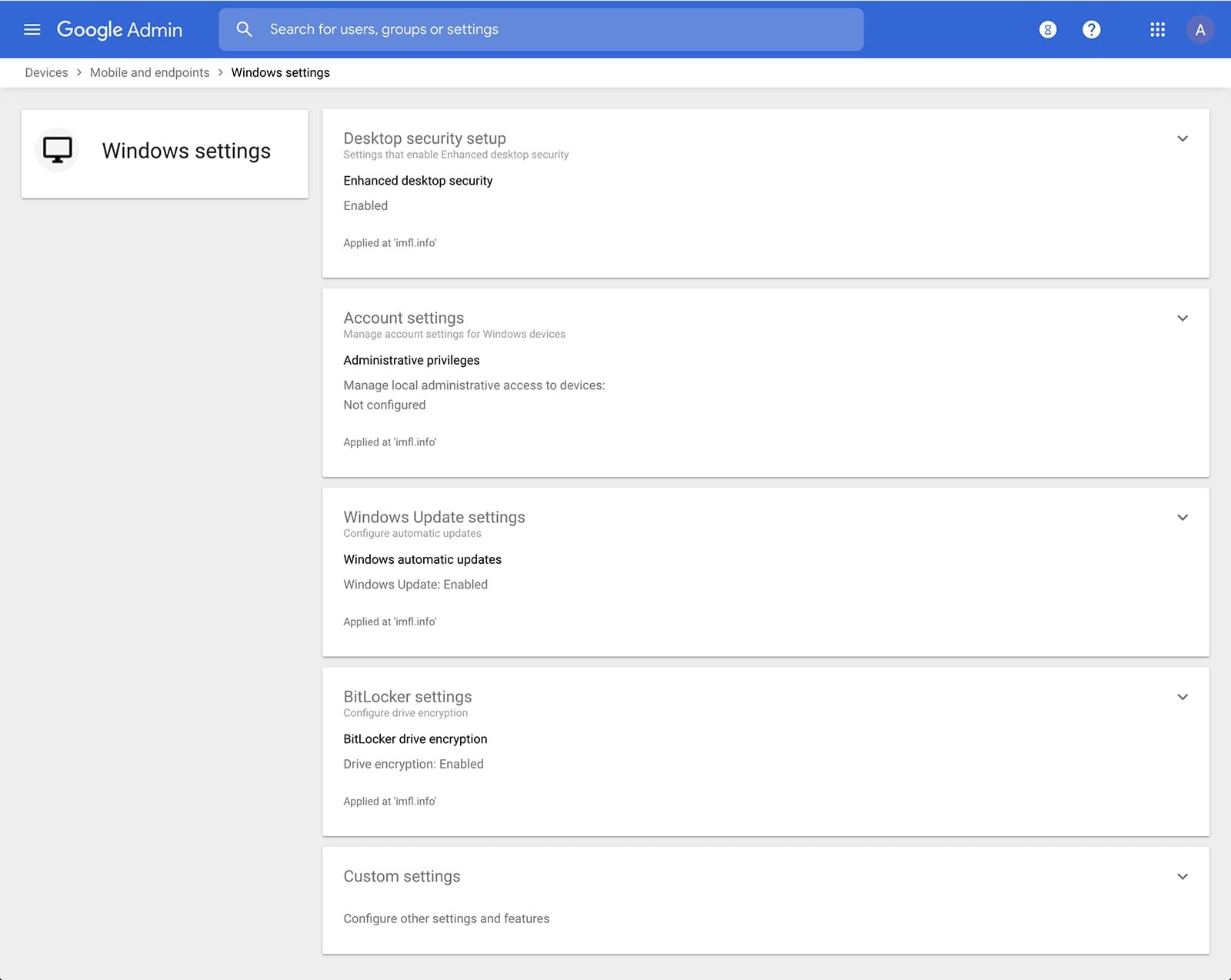
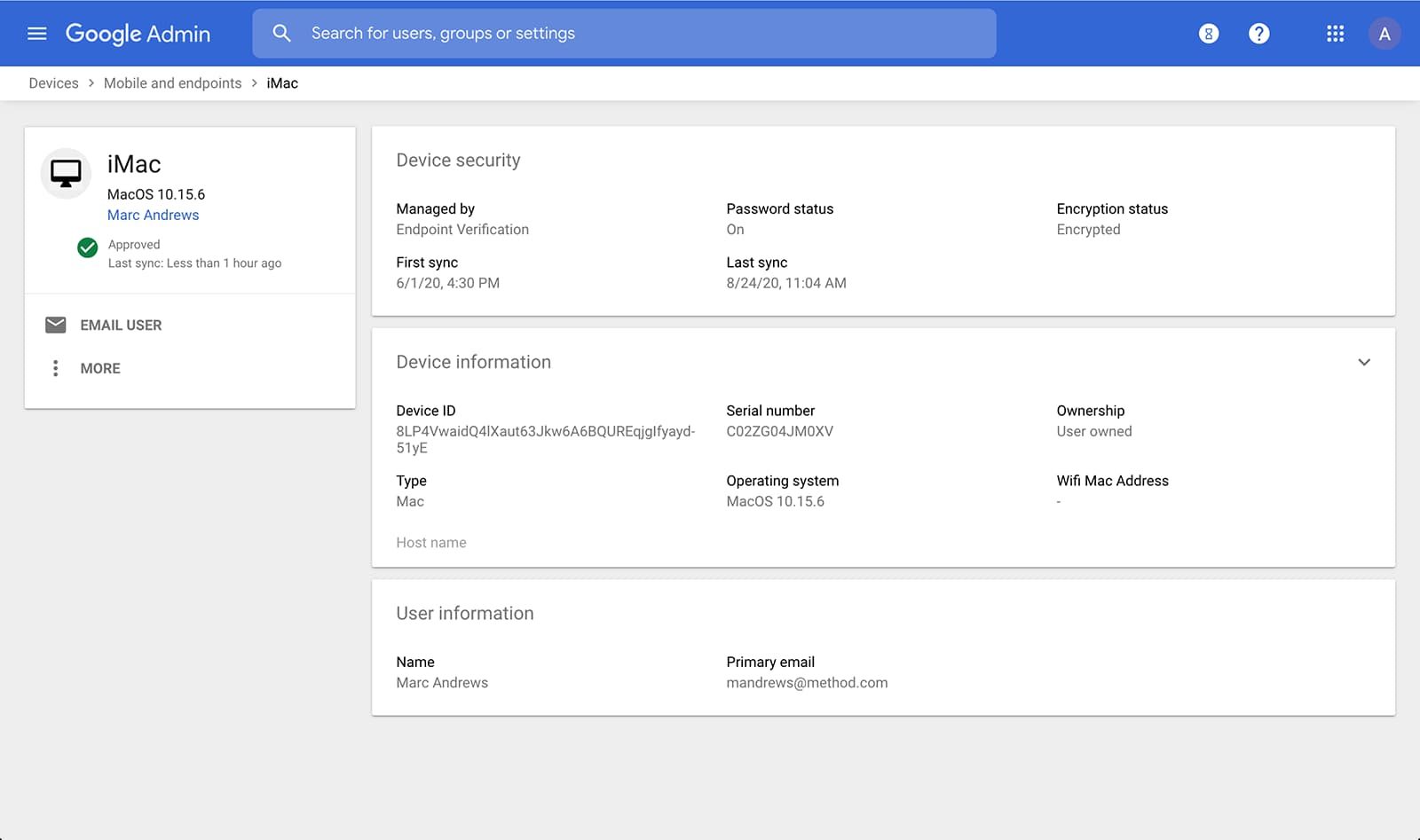
Administrators can also manage and secure computers with basic device management and enhanced security for Windows. With basic device management, when a user signs in to Workspace via any browser on a Windows, Mac, Chrome, or Linux device, that device is automatically enrolled in endpoint management. This ensures a basic level of security for every desktop device accessing data on Workspace. With advanced security for Windows, administrators can easily manage and secure Windows 10 devices via the Admin console.
Enable secure connections without VPN using contextual access rules
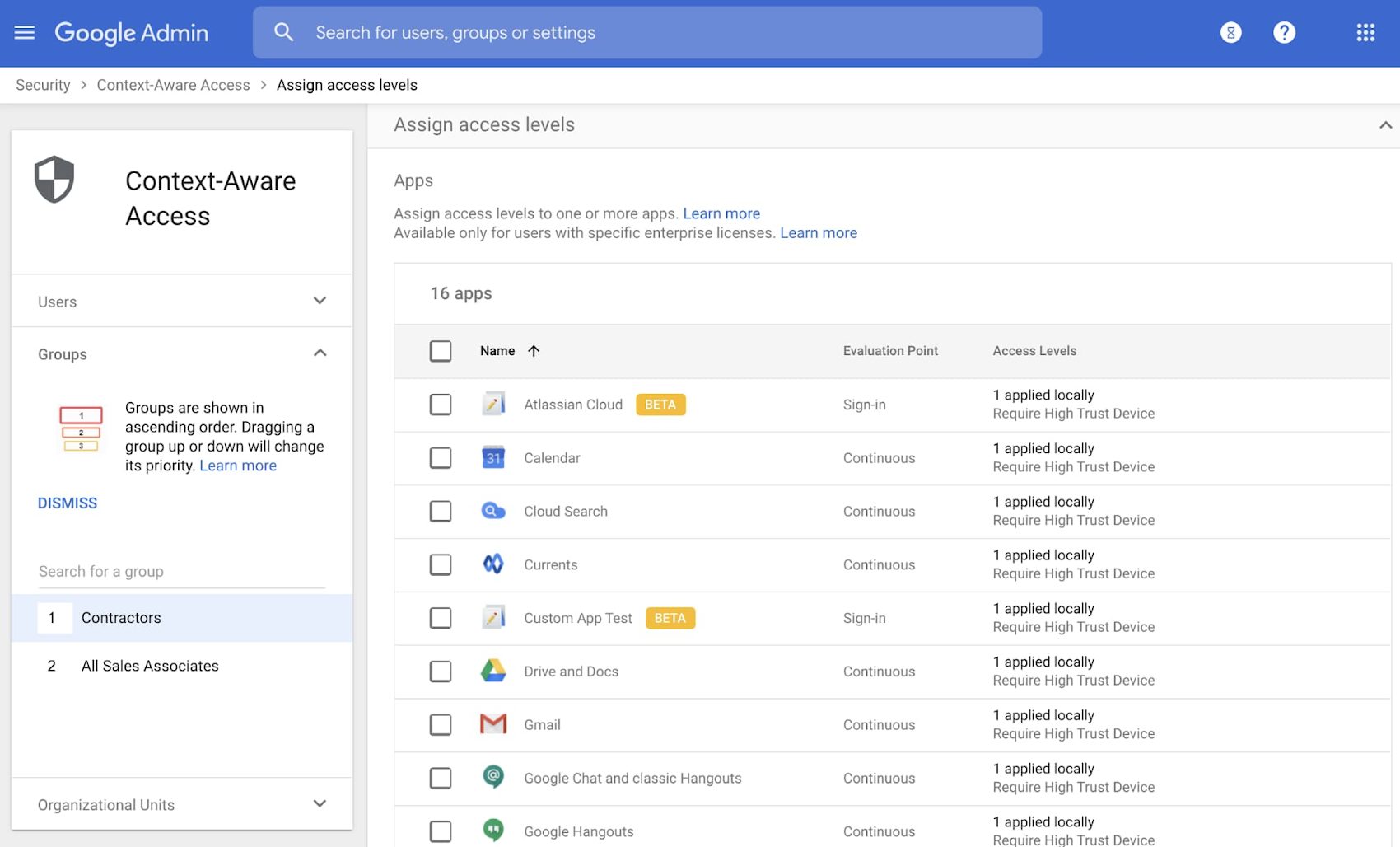
Contextual access provides protection against unwanted access to Google Workspace services without the need for a VPN. These features allow administrators to define different levels of access based on user identity and request context, taking into account factors such as country, device security status, and the request's IP address. For example, you can require BYOD devices accessing Workspace to meet encryption and password requirements, or prohibit contractors from accessing Workspace from company-managed Chromebooks.
Control data access with application access control
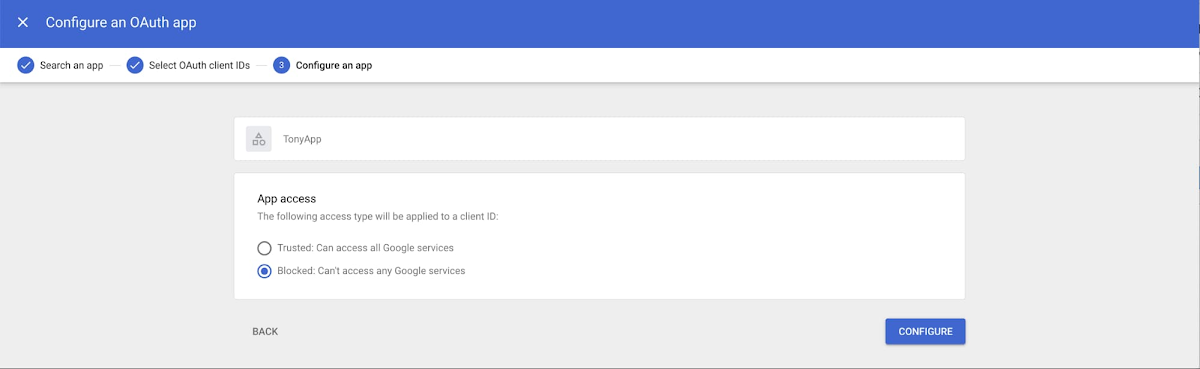
It is important to protect all devices in your company, whether corporate or BYOD, against malicious applications that attempt to access company data. With application access control, administrators can take steps to prevent these applications from tricking users and mistakenly granting them access to company data. With this feature, administrators can choose which third-party applications are allowed to access user data on Google Workspace by explicitly allowing, limiting, or blocking application access.
Enable two-step verification
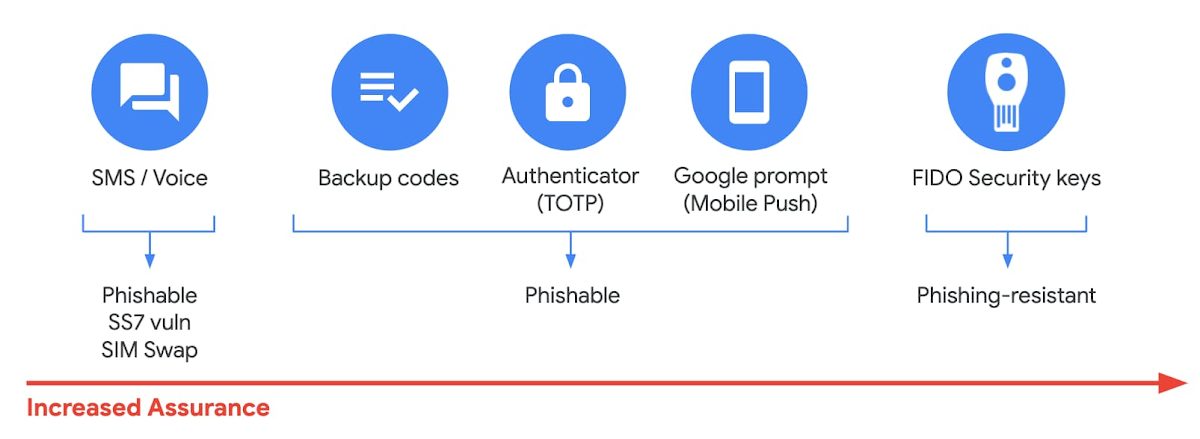
With two-step authentication, administrators can reduce the risk of unauthorized access by requiring users to provide additional proof of identity during login. And you can now use the Advanced Protection Program, our strongest protection for users at risk of targeted attacks. With the Advanced Protection Program for businesses, we will apply a specific set of rules for enrolled users, including enforcing security keys, blocking access to untrusted applications, and enhanced email threat analysis.
If you choose not to use security keys for any reason, you have several other options to enforce two-step verification on BYOD devices. For Android and iOS, you can use Google Prompt, Google Authenticator, text message, or phone call options for a second verification step.
Finally, you can now enable passwordless login via passkeys. For example, a user's biometric fingerprint is sufficient to authenticate them. They no longer need to enter a password and a second factor to log in.
Prevent data loss and leaks with DLP (data loss prevention) features
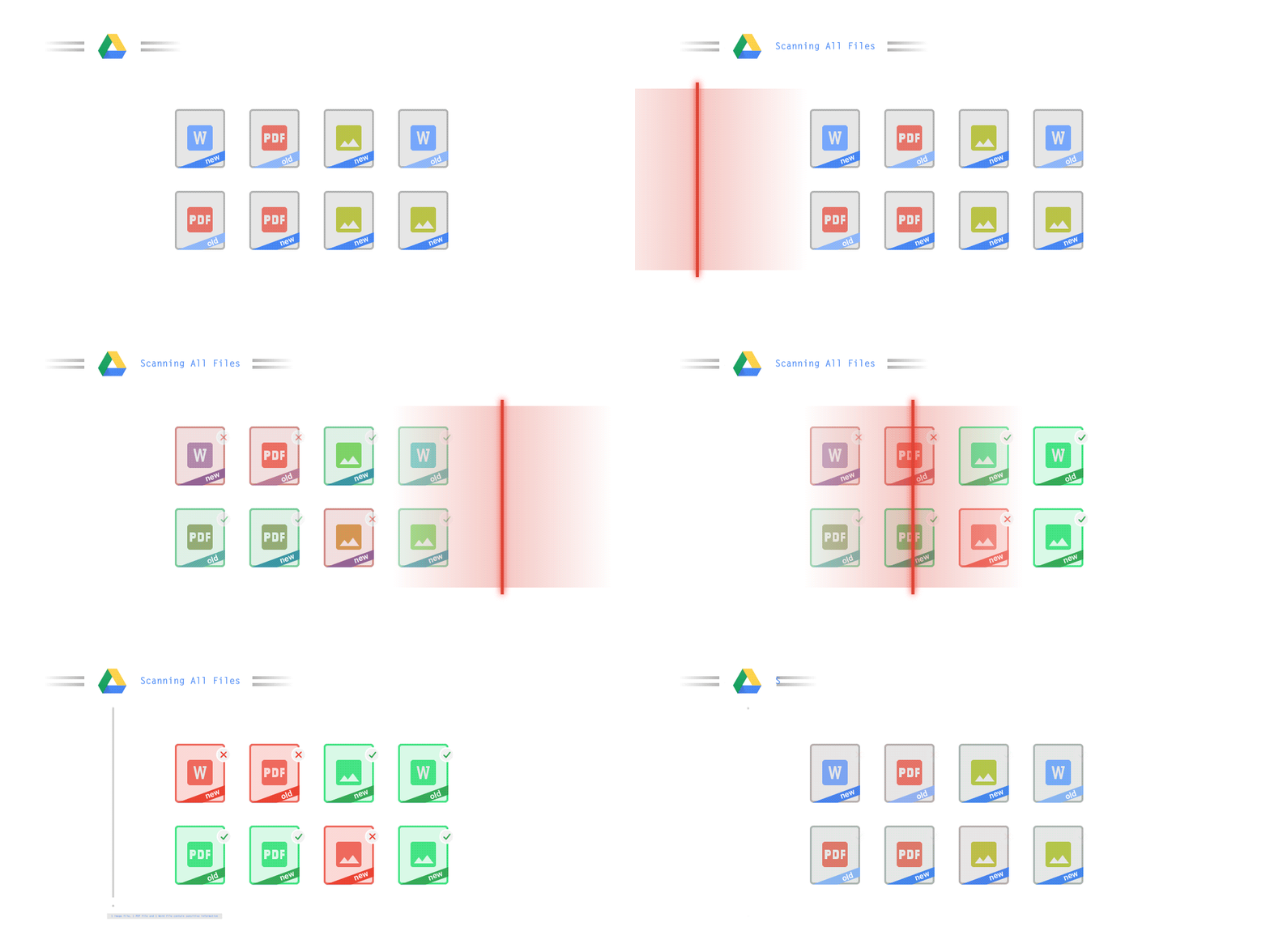
Data Loss Prevention (DLP) policies help you protect sensitive information in Drive, Docs, Sheets, Slides, and Gmail from loss, misuse, or access by unauthorized users. Administrators can choose which types of data are sensitive and how to protect them. Controls make it easy to detect a wide variety of common information types, and administrators can supplement them with custom content detectors to meet their organization's needs. You can also automatically classify files in Drive using DLP rules to categorize your data by sensitivity level. DLP works on all devices in your organization, including BYOD devices, as protection occurs at the data and application level.
In addition to DLP, you can use DXP for iOS devices to restrict copying/pasting Workspace data to other accounts, personal or otherwise. DXP for iOS can also restrict users' ability to drag and drop files from specific applications within their Workspace account. Similarly, you can use Google endpoint management to configure Android devices to prevent data sharing between personal and work profiles.
With Vault, retention and eDiscovery are possible across all your devices
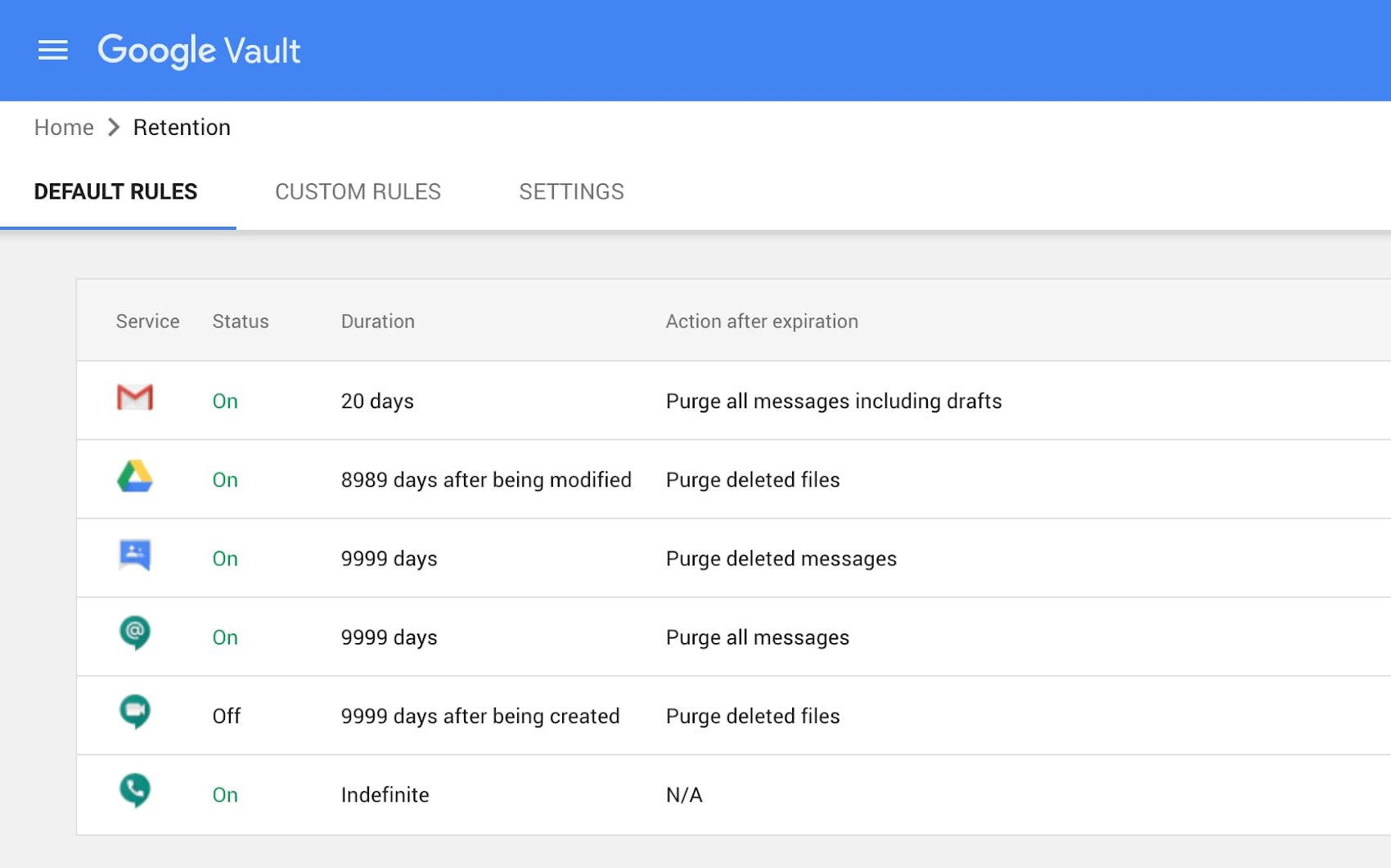
To meet your business's retention and eDiscovery needs, Vault makes corporate data stored in Google Workspace and accessible by BYOD devices available for all your information governance requirements. Regardless of device ownership, your company's data stored in Gmail, Drive, Chat, Groups, Voice, and Meet is accessible to Vault.
Using the zero-trust security model, the Google Workspace features above work together to protect your data and secure your organization across all devices, whether company-owned or BYOD.
Easy and intuitive management
Google Workspace features simple and intuitive management of all security settings. It takes just a few clicks to configure Google Chrome browsers across the entire company or to set up a new security policy or custom alerts.
Illustrations by Google
Photo by Mikey Harris on Unsplash
Photo by Mikey Harris on Unsplash