The offer of online project management software is plentiful. The best of them are sophisticated, efficient, well-designed, with a quality user interface (UI) and user experience (UX). But sometimes you find those few gems that have the power to make you happy to use them from Monday morning.
Monday all week long
We switched to Monday in January 2018 simultaneously with our adoption of the Scrum method. Since then, we have acquired good expertise and deployed it with clients. With this article, we share our enthusiasm to promote a tool that will change, for most teams, the way they work.
To read on the subject: How to choose a project management solution
Simply magnificent
The quality of an interface is essential. A well-designed interface lightens cognitive load and increases efficiency. Not to mention the importance of UX in user adoption of a solution.
The first thing that strikes you about Monday is the simplicity of its interface. The designers have perfected all the mechanisms. There is no information overload, no superfluous actionable elements. Most actions are performed in one to two clicks where it might take three to four elsewhere.
Flexible and versatile
Monday integrates an impressive number of features for its category. As each board (a board is a virtual whiteboard where project elements are managed) can be composed as desired, Monday covers a very wide spectrum of possibilities. This is what makes it truly unique.
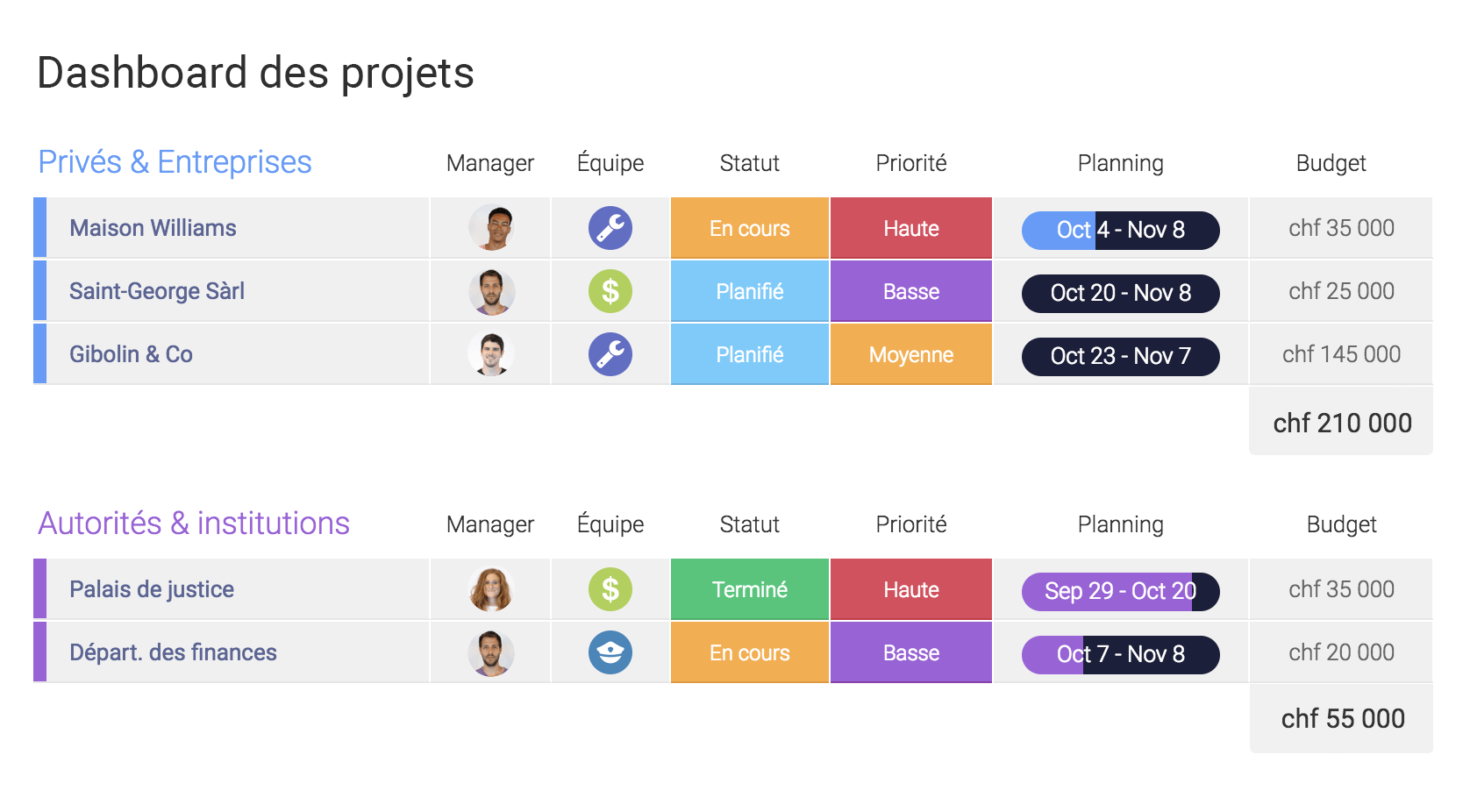
Keep a global view on projects and business

Plan team's week
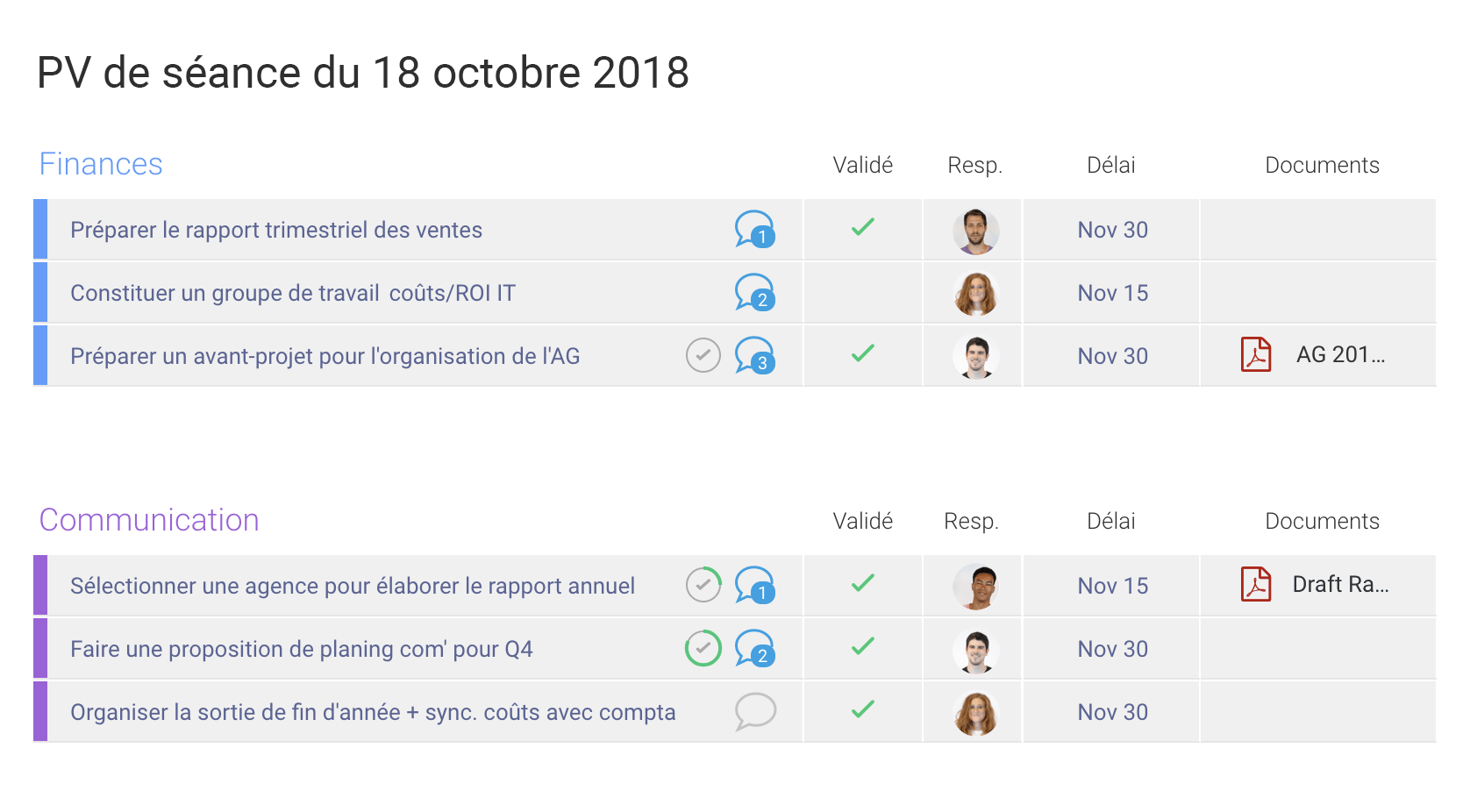
Manage sessions, minutes and decisions
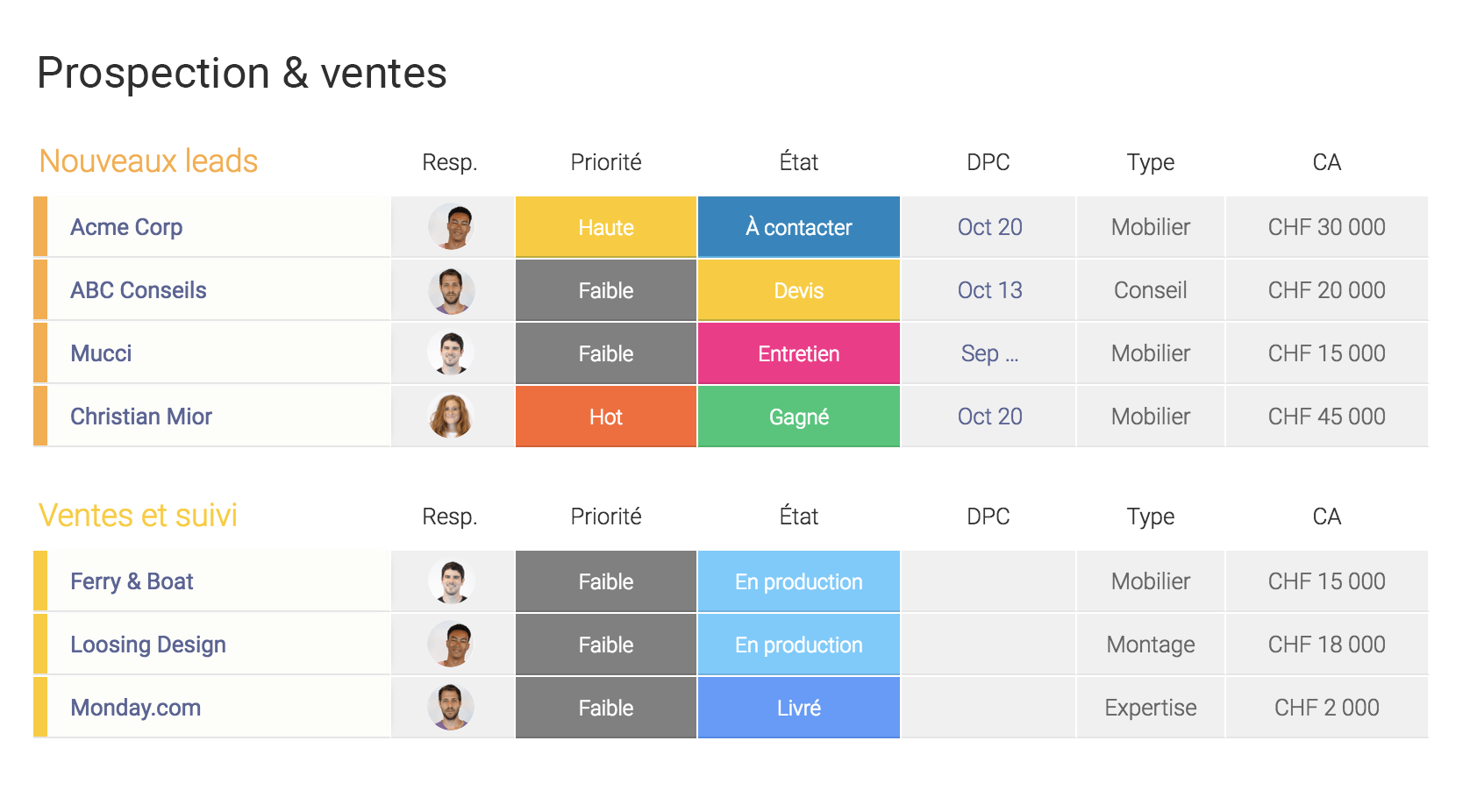
A CRM for sales and prospecting
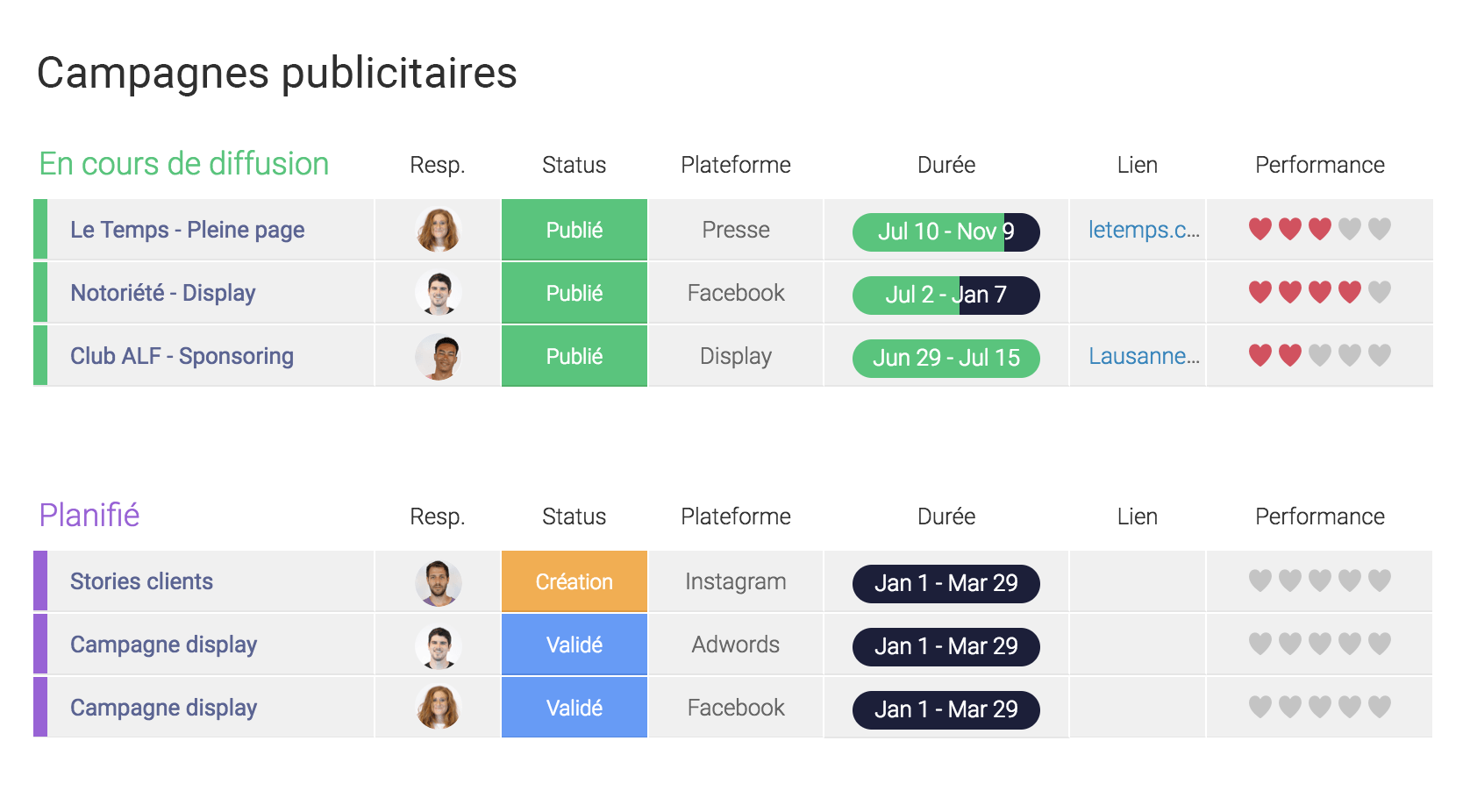
Develop and track marketing campaigns
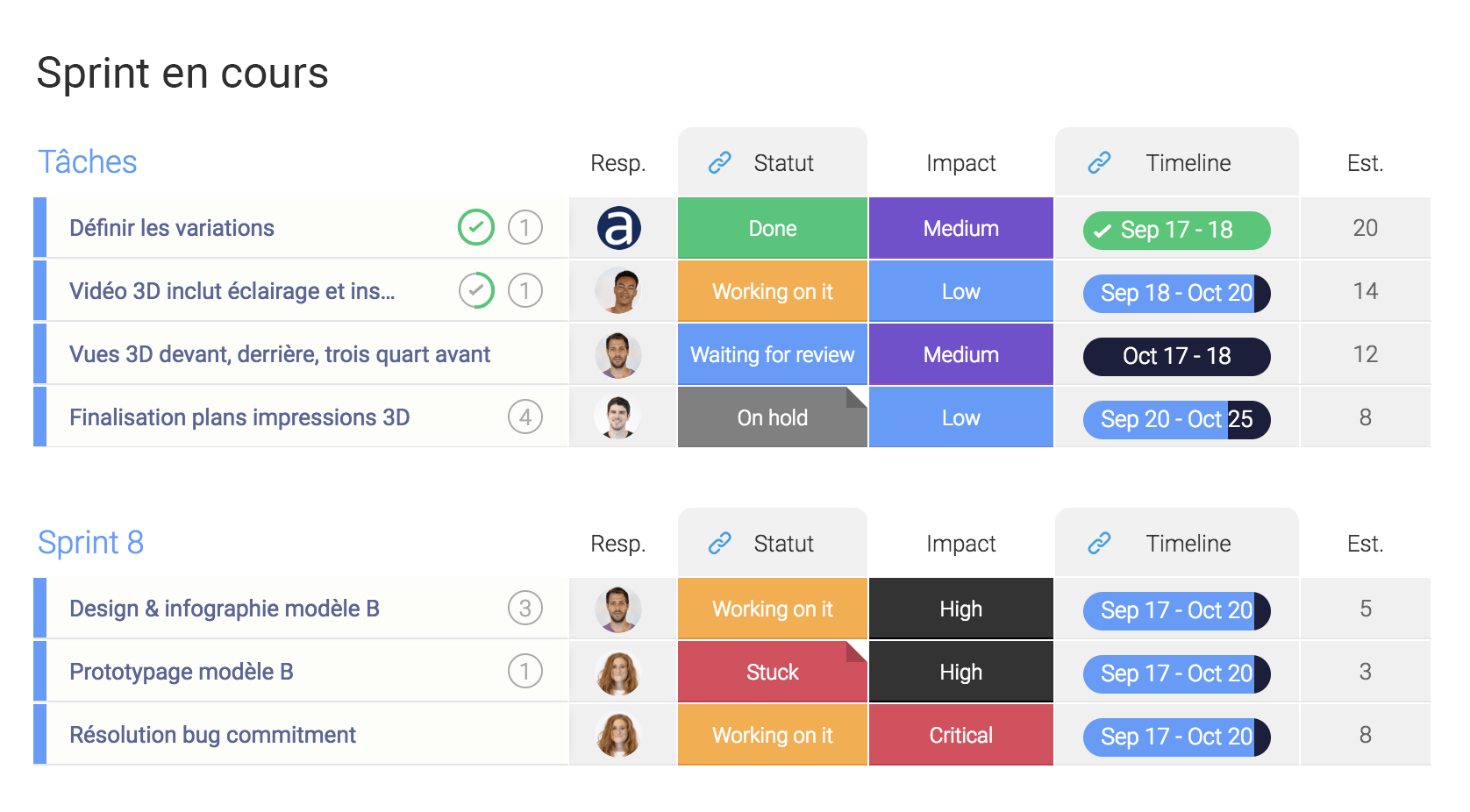
Manage your projects in Agile mode
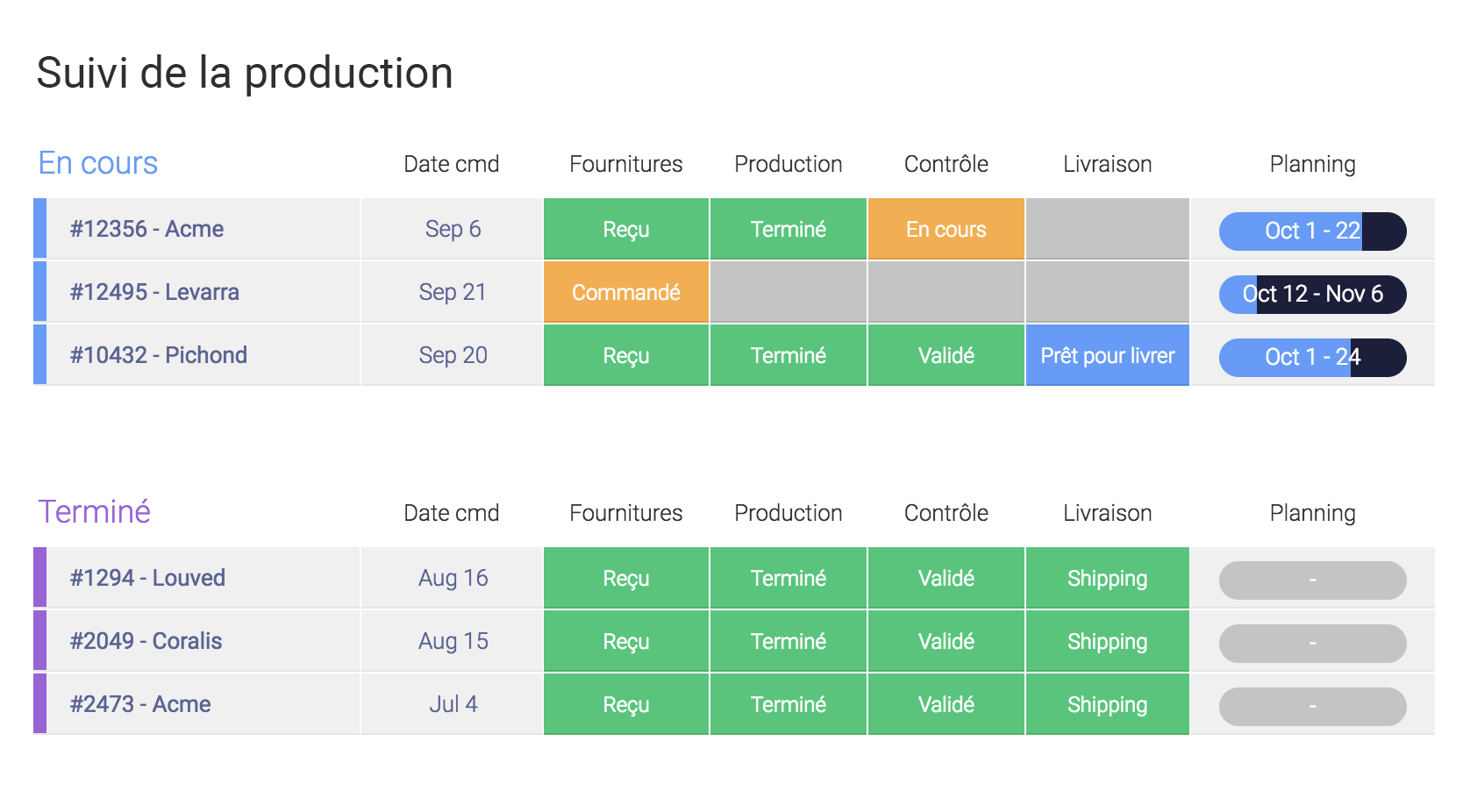
Manage production processes
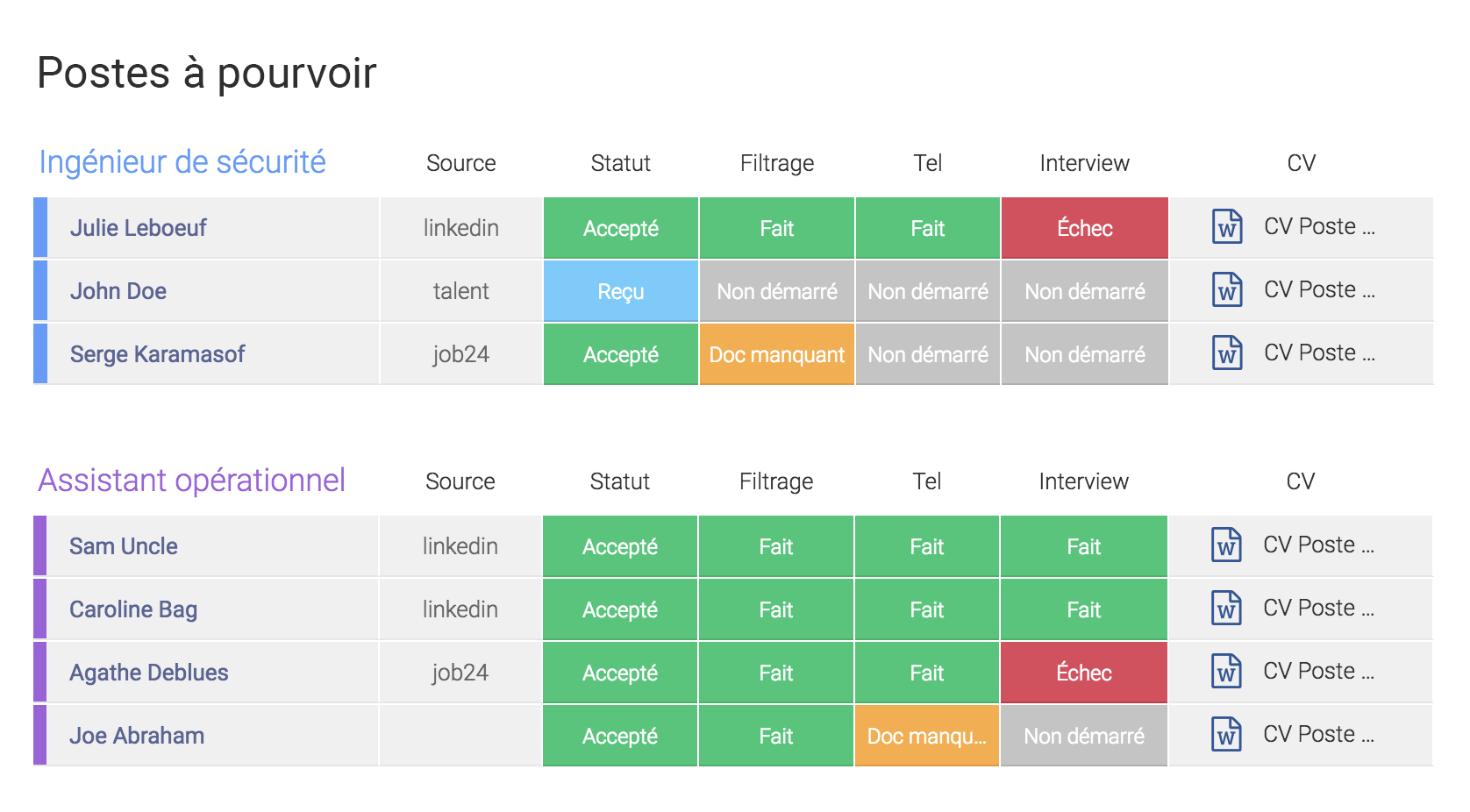
Manage HR processes and recruitment
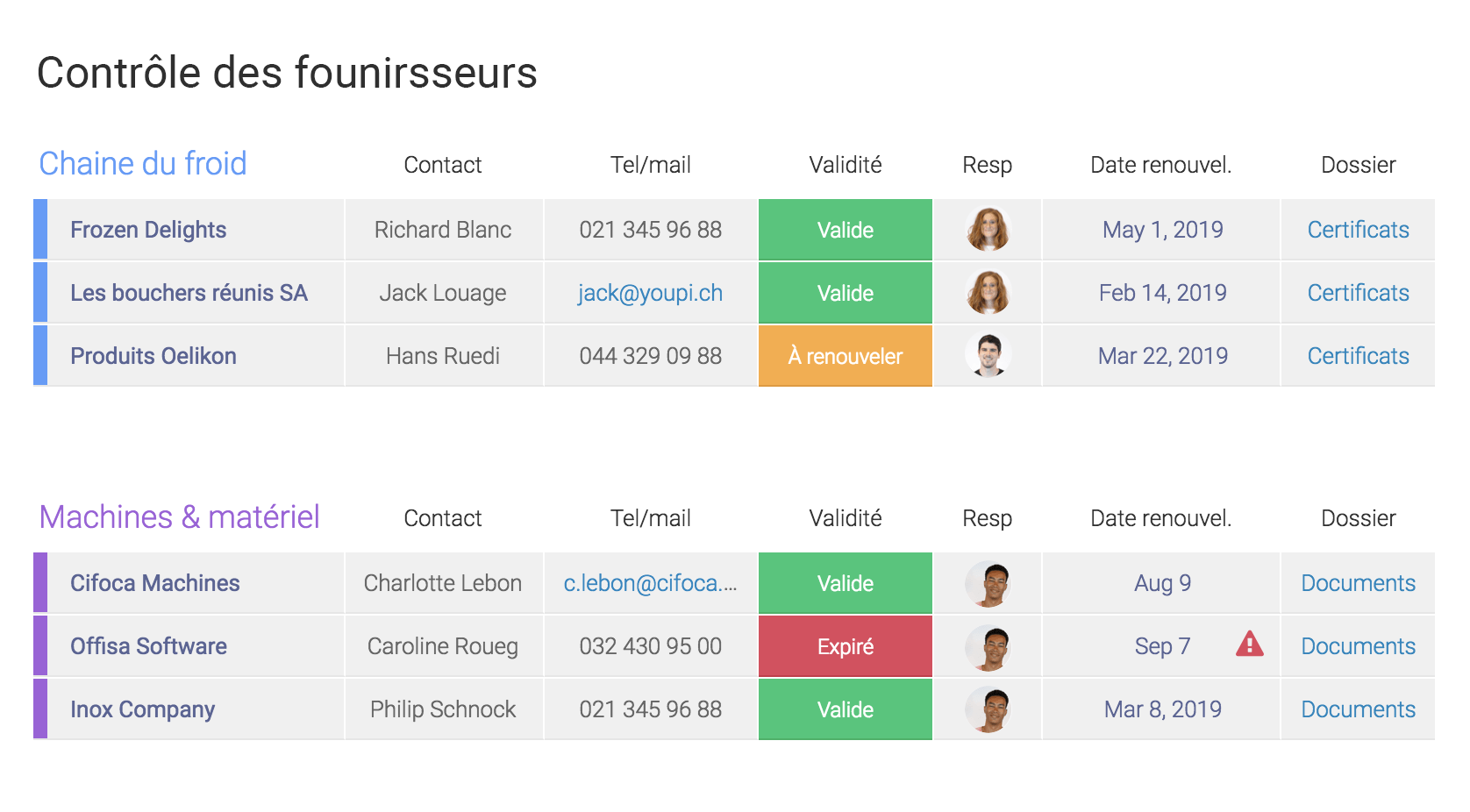
Manage your suppliers
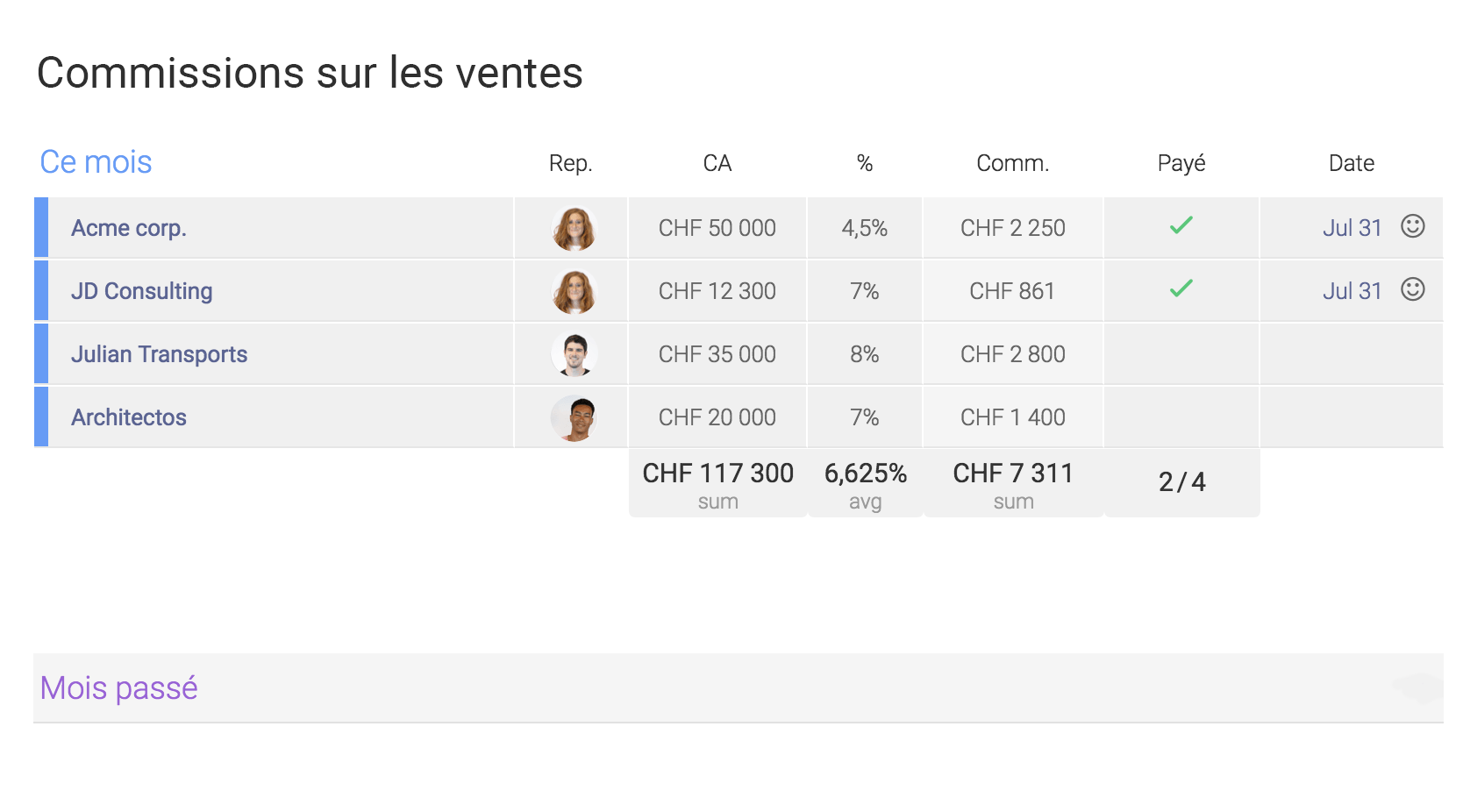
Simply manage third-party commissions
How Monday works
Monday is presented in the form of tables (boards). When you create a board, you can start with the template gallery or start from scratch. Then you compose or modify your board at any time by adding columns (with dozens of types of columns to choose from: statuses, people, votes, timeline, deadline, texts, check boxes, etc.).
Then, it's child's play: add rows (pulses), move them, reorganize them, assign people to them, add comments, change statuses, files, updates…
The table display is complemented by the very good “Views” mode which allows you to display timeline views, kanban boards, create forms, etc.

Transparency first
As mentioned in our article How to choose a project management solution, a 2013 study conducted on over 40,000 respondents shows that, above all, transparency is the primary contributor to employee satisfaction. A culture of transparency is essential for building a culture where people are motivated, involved, and responsible. Transparency has a significant impact on morale, performance, and – ultimately – financial results.
Monday puts transparency at the center. This significantly improves collaboration, information, and employee involvement. By default, you don't have to worry about permissions: every employee can access every board and subscribe if they wish to receive update notifications. You can, of course, create private boards as well as shared boards to invite clients and partners.
Involve stakeholders
Involving stakeholders, such as your client, early and closely is consistent. For example, for a new offer, we create a board (based on one of our templates) that will contain all the steps and services as well as the estimated time. This board is then shared with the client who will be able to see and understand our price. And this, even before the formal offer is established; since this table serves as the basis. This transparency has two advantages: the bond of trust is established faster and prices are less discussed.
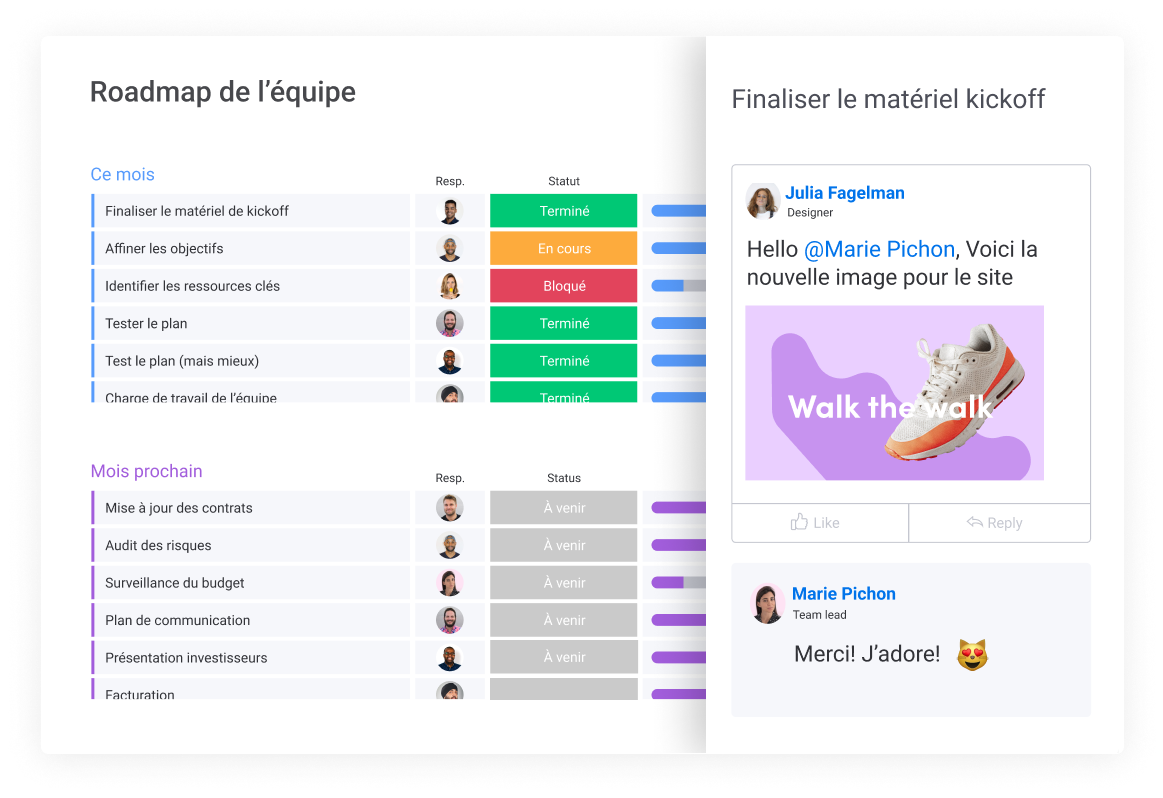
Obviously, the board will then be used for the project. The client retains their access since they are a stakeholder, will follow the progress, and will be assigned tasks and deadlines.
By involving stakeholders more closely, projects progress better, deadlines are shortened, and collaboration is streamlined. And above all, it is very easy to get them to adopt the software thanks to its ease of use. At most, we take 10 minutes to give them a quick overview.
As part of the digital transformation
A software like Monday is an excellent medium to support an organization's digital transformation or, at the very least, to change working methods. It is a tool that can be deployed in parallel with what the company already uses; where G Suite and Office 365 replace what is installed. Resistance to change is then low for employees, and the decision to change is easier for management.
Employees experience much more collaborative processes, exploring ways of working that radically improve their work. They discover that there is a colorful world outside of Outlook, Excel, and ‘90s software, a bit wrinkled by age. On the management side, the economic benefits of greater transparency and collaboration are very often felt. Add to that a bit of coaching or workshops on best practices in personal organization, daily routines, agile principles for teams, and you transform everyone's productivity and satisfaction.

Finally, with the iOS and Android mobile application, Monday stays in employees' pockets. Work and collaboration are no longer confined to the office. You gain the mobility of project management just like your emails and calendar.
New features galore
The developers of Monday are adding new features at a frantic pace. Dashboards and automation (within boards and with the most common cloud solutions) are among the latest particularly powerful innovations. Automations take the possibilities for your workflows to a whole new level!
Do you want a boost to evaluate and choose the right collaboration tool?
And for the price?
Monday curiously has tiered user pricing – 2, 5, 10, 15, 20, etc. Its cost per user will vary between 15$ and 8$ for the Standard model and between 18$ and 10$ for the Pro model. A 2-year subscription offers an additional discount.
Once confronted with the all-around gains that this type of solution brings, its price becomes anecdotal. On average, the monthly cost is equivalent to less than 20 minutes of your hourly cost.
Furthermore, Monday's versatility can allow you to save by consolidating processes previously managed by other software. Depending on the case, production, sales force, collaborative platforms, for example, can be advantageously replaced by Monday.
To try is to adopt
Will you share our enthusiasm? Test Monday for free for 14 days (no credit card required). Do not hesitate to contact us to give us your feedback, ask us questions, or receive some advice.
Try Monday for free, no strings attached, no credit card.