The offer in terms of cloud solutions for task, project, and process management is plentiful. However, it is unknown to Swiss SMEs. Of the companies we meet, across all sectors, 9 out of 10 structures have no tool to frame and lighten the coordination and management of tasks!
In this article, we use the term project in the sense of a set of tasks to be carried out to achieve a desired goal. Thus, processes and workflows such as recruitment, prospecting, customer support, and article publication are projects in the same way as a construction site or product development.
Excel, it's the Middle Ages
Aside from the absurd and inefficient mass email exchange, one of the most popular project management tools is the Excel spreadsheet. Its first flaw is being absolutely ugly. Okay, at first glance, that's not a reason in itself. However, on the one hand, the speed and clarity of the data to be visualized is essential. On the other hand, the visual quality of a tool (UI & UX) has a direct correlation with user involvement and productivity.
But above all, Excel's collaborative capabilities are non-existent. Communication, project-related files, updates, update tracking, history, reports, etc. only occur in a ridiculous back-and-forth of emails, phone calls, attachments, and version conflicts.
Why a project management tool?
For most, the way of organizing relies on wagons of emails, an overloaded inbox, scattered information, and outdated files. This generates massive time losses, delays, and opacity regarding objectives and what is happening.
The only result obtained by doing things «the old way» is more stress and dissatisfaction for people who spend more time searching for and making information coherent rather than moving their project(s) forward.
Using a (good!) collaboration software is offering more time and peace of mind to collaborators, even before talking about productivity and success gains. It allows to:
- unburden ourselves of what we have in mind, to effortlessly maintain control of tasks,
- work in context, streamline collaboration and planning,
- have a clear and global vision of what is happening, at the macro and micro level,
- secure activity by reducing bottlenecks and inaccessibility (info dependent on one person, sick or absent colleague, etc.).
Where do you want to go?
Define your needs. This could involve improving workflows or processes, reducing bottlenecks and wasted time, streamlining collaboration, etc. Where does your current way of doing things fail?
Different teams have different needs. Good collaboration software should not confine you to a rigid framework. It must embrace your multiple ways of working and needs.
Also ask yourself who will use the tool. Are the stakeholders internal or external (e.g. clients)? How should this tool integrate with other company systems? This can influence the ease of adoption and the cost of the solution (licenses for guests or are guests free, use of API or offered integration).
Do you want a boost to evaluate and choose the right collaboration tool?
Test the alternatives
You must be able to test software without restriction of features during a trial period. A demo or the publisher's promises are not enough. The trial period must be long enough to allow you to experience what daily life will be like with this solution. Your team with you.
Don't stop at a single choice or a friend's sole recommendation. Test several solutions in depth. The most cost-effective is to mandate a specialist: they will help you make the right choice in the jungle of possibilities and you will save time.
If it is important to test the functionalities, it is even more important to test the mechanisms. Give importance to the quality of the user interface. The most common operations must be the fastest. Does creating and assigning a new task take one click or 4? How do I get a global view of my tasks? Those of another?
Calculate and justify the cost
A project management solution will cost time and money, especially to implement it. It must also not increase the workload or slow down collaborators. That's not really the idea. You must therefore prove that it is profitable. In time and money.
Nobody likes ugly, complicated, and oversized things. This is why most software fails. Banish overly complex systems. If you want your team to adopt it quickly, choose a pleasant-to-use solution.
Prefer a cloud solution that only takes 30 minutes to configure, another 30 for a demo so your colleagues can get on board, and less than 60 minutes to migrate your project to it. All for about 10$ /month /user. This way, you retain the possibility of changing at a lower cost if your needs evolve.
Software that takes 10 days to be installed by the IT department, 1 day of training, and with high license costs will significantly increase the risk of failure of your change.
The right solution makes work more enjoyable. You should be able to look forward to using the software. The benefits in terms of time savings, collaboration quality, and tracking must be obvious. At this point, the chosen solution is justified and profitable.
Support the deployment
Even technically competent teams are creatures of habit. It is essential to establish a change plan to integrate something new into the daily workflow. If the project manager is the only person who touches the software, then it's a guaranteed failure.
Resistance to change is the primary cause of failure for any transformation. Don't skimp on information and training. A failure always costs more than a change plan.
Communicate to explain and prepare everyone for the change. Should training sessions or workshops be planned? A quick start guide? A newsletter cycle to make known everything that's “under the hood”?
Do you want names?
Here are some solution names you can evaluate. We give them to you in bulk, in no particular order:
Jira / Kanbanchi / Breeze / Wrike / Clickup / Teamweek / Redbooth / Podio / Odoo / Avaza / Zoho Project / Confluence / Planscope / Freedcamp / Roadmap / Liquidplanner / Todoist / Meisterplan / Mural / Wimi / Trello / Asana / Monday / Proggio / Meistertask / GanttPRO / Meistertasks / Atolia / Airfocus / Basecamp / Timely / Drag / Toggl / Slack / Taiga / GoodDay / Flowlu / Airtable …
A tip: look for transparency
Obviously, PM software simplifies the management of all aspects of a project: planning, task distribution, time and cost tracking. That's the idea of the thing.
A 2013 study of over 40,000 respondents shows that, above all, transparency is the primary contributor to employee satisfaction.
A culture of transparency is essential for building a culture where people are motivated every morning at the office, engaged and responsible. Transparency has a significant impact on morale, performance and – ultimately – financial results.
Favor solutions that highlight transparency because they promote team cohesion, emphasize merit for efforts made, and create motivation.
Ask us
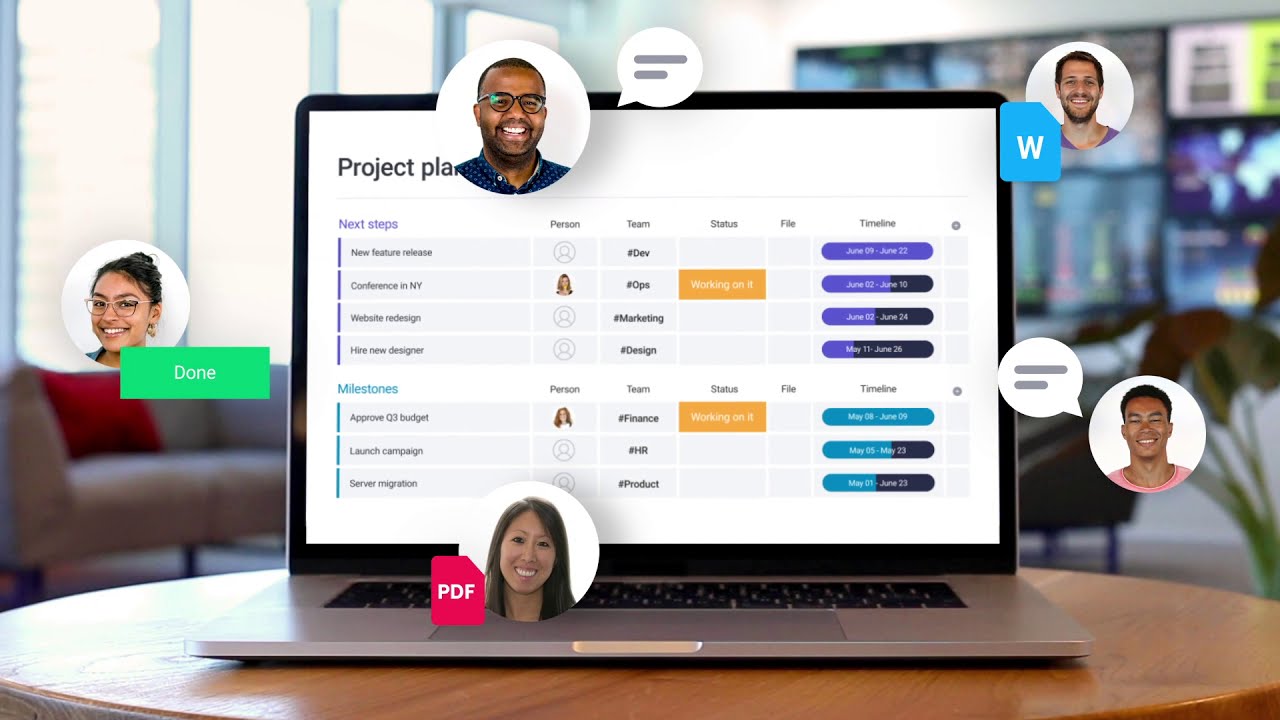
At Axxun, we use Monday which is, from our point of view, one of the best-designed solutions we have seen. We love it for the intelligence of its interface and its extraordinary versatility; we manage all our processes and workflows with it.
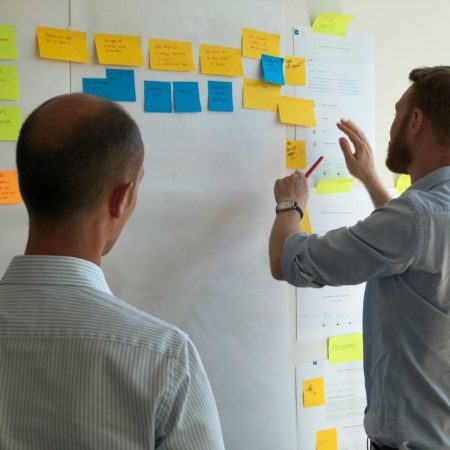
A wall, post-its, and a daily “standup meeting” is one of the best project management systems. On the absolute condition that stakeholders are co-located.
Also read: The best project management software
Do you want a boost to evaluate and choose the right collaboration tool?