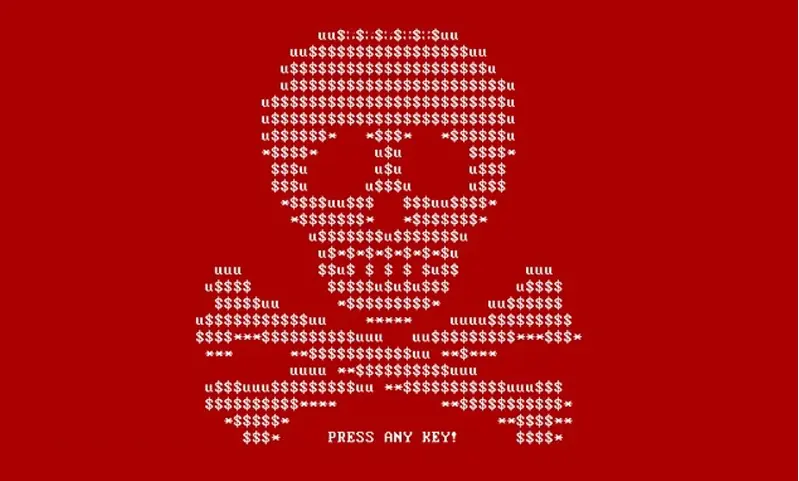
The security superiority of cloud offerings like Google Workspace or Microsoft 365 is no longer debated. But are your data safe from viruses, and particularly from crypto viruses – or ransomware – when you use Google Drive, Dropbox, OneDrive?
100% web model
If you use Google Workspace or Microsoft 365 in 100% web mode, meaning you only work from the web browser, you are protected against malware and ransomware1. Indeed, there is no passage between an infected computer and your data in the cloud.
By working in 100% web mode, a potential virus infecting the operating system (Mac, Windows) will not be able to reach the data in the cloud.
But what about when you synchronize data locally?
1 Be careful, however, with third-party extensions that you might have added to Drive and for which you have therefore authorized access to your data. We recommend administrators to prohibit add-ons or to only authorize those above all suspicion.
Can ransomware encrypt my cloud data?
Yes. When you install synchronization software from Dropbox, Google Drive, or Microsoft OneDrive, for example, a certain amount of data will be hosted on your computer.
If a crypto-locker infiltrates a computer, it will encrypt the disk. Your local data will be encrypted before being synchronized with the cloud service. Then the encrypted data will be downloaded to other synchronized devices (yours and those of colleagues). And then: bye bye healthy data!
Google Drive and ransomware
Google Drive app and OneDrive on Demand are clients that install on the computer. Appearing as a mounted drive, they provide access to the entire cloud server tree. The user can then open files with their usual software; files being downloaded on demand (streaming). A cache system keeps recent data locally, and the user can activate offline mode on the data of their choice to have them available even if they don't have internet.
With the Google Drive app and OneDrive on Demand, it's all the data – even remote data, which was neither cached nor defined as available offline – that can be corrupted depending on the type of virus.
How to protect yourself from ransomware
You must first protect the entry points, i.e., your hardware, computers, and employee devices. Not only does a crypto-virus attack your data, but it can also spread. For example, some viruses replace healthy files with a fake hiding a corrupted executable. You must avoid this propagation at all costs: more and more companies are «connected» to each other via shared data.
On average, Gmail is 5 hours ahead in detecting new threats compared to antivirus publishers.
You can also cap your infrastructure with specialized solutions like Cylance or FireEye so as not to depend on a single security system.
You must then have a backup system in case of a disaster. With Google Workspace or Microsoft 365, you can choose between 2 strategies to back up your data and be able to restore it in case of an incident:
- Cloud-to-Cloud: use a cloud backup service that will ensure the backup and restoration of your Google Workspace or Microsoft 365 infrastructure.
- Hybrid: use a local or hosted server (e.g. a Synology or QNAP NAS) to back up your cloud.
Note that services like Box, Dropbox, Drive, OneDrive integrate versioning: you can retrieve previous versions of a file. Practical for limited damage but impossible if you need to restore several hundreds, thousands or millions of files. Microsoft OneDrive now offers a mechanism for mass data restoration.
The user, the weak link
Restoring several terabytes is not effortless. The spread of a virus at a client becomes a serious problem. Dealing with the damage from an attack always costs much more than a little information regularly.
User awareness of good practices and dangers is essential. But almost non-existent in companies.
It is imperative to train users in data security. What are the risks? Where do they come from? What are the consequences? Regular (very regular!) reminders must reach them about good practices. A user must know the emergency procedure if they are a victim of a virus or if they notice something suspicious.
Conclusion
The cloud offers unparalleled security guarantees for your data. While G Suite and Office 365 have “out of the box” protection mechanisms, they are not completely watertight depending on how you use them.
Implement a backup and restoration strategy to protect yourself from intentional or unintentional data loss, whether it comes from users or malicious software.